
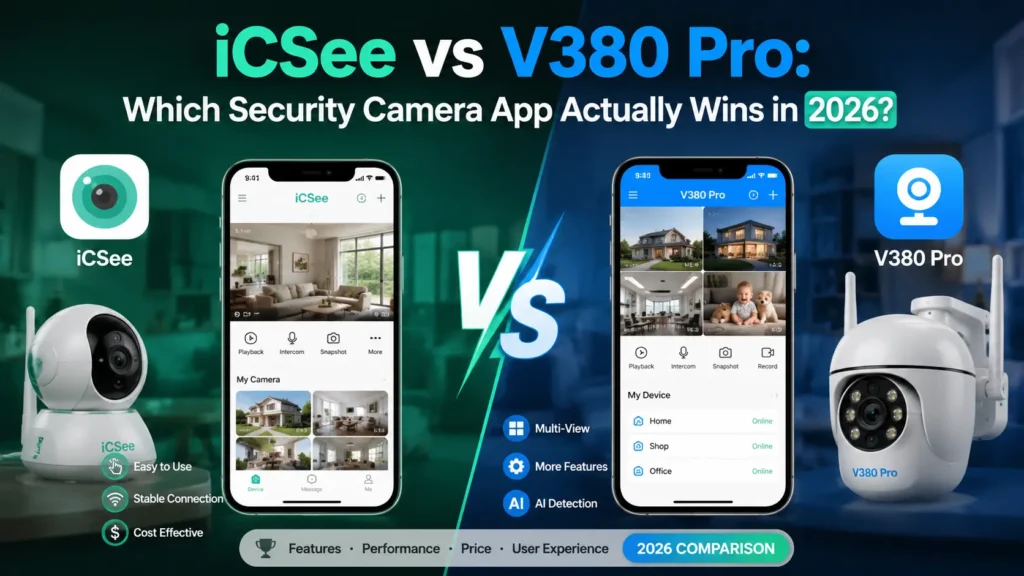


If you’ve been shopping for a budget IP camera, you’ve probably run into this problem: the listing says one app, the manual says another, and half the reviews mention a third one entirely. iCSee and V380 Pro are the two names that show up most often, and honestly, most buyers have no idea what actually separates them until they’ve already bought the camera.
Here’s the short version: neither app is universally “better.” What actually determines your day-to-day experience is the camera hardware, the firmware behind it, and your home network. The app is just the last layer you interact with. It rarely breaks anything on its own. But since you’re stuck comparing them anyway, let’s actually dig into where the differences show up in practice.
iCSee vs V380 Pro: Quick Comparison Table
| Feature | iCSee | V380 Pro |
|---|---|---|
| Best for | Multi-camera setups, small businesses | Single or dual-camera home use |
| Learning curve | Steeper — more menus, more settings | Minimal — open and go |
| Managing many cameras | Grouping and switching feel more organized | Gets cluttered past 3-4 cameras |
| Remote viewing | Depends on camera chipset and upload speed | Depends on camera chipset and upload speed |
| Local storage (SD/NVR) | Supported on compatible models | Supported on compatible models |
| Cloud storage | Manufacturer-dependent, varies in price | Manufacturer-dependent, varies in price |
| Notification detail | More granular motion zones on some models | Simpler, fewer false-positive controls |
How iCSee and V380 Pro Perform as IP Camera Apps?
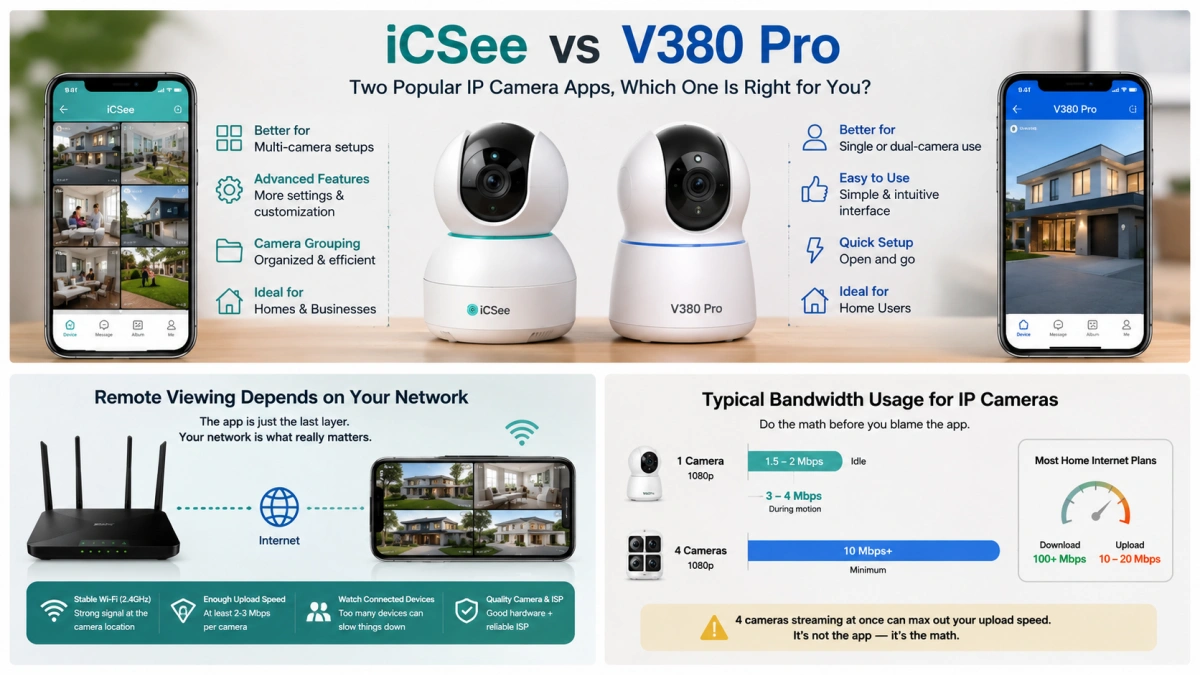
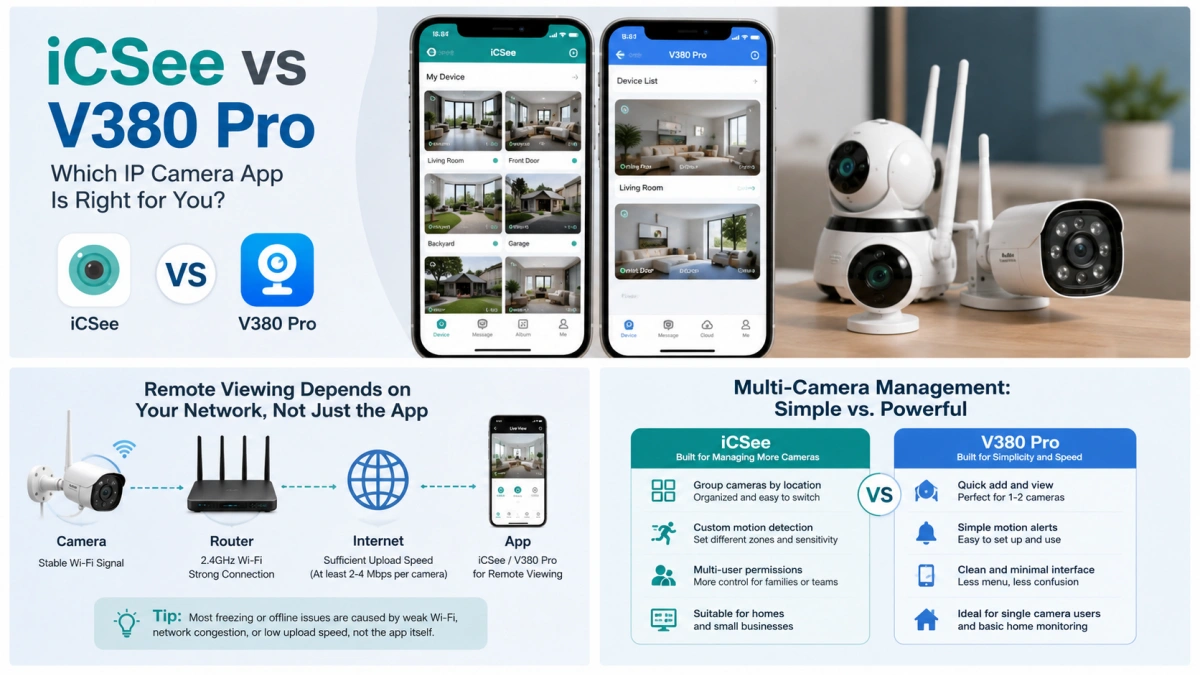
Under the hood, both apps rely on the same basic plumbing that most WiFi IP camera apps use — QR-code pairing, UID-based device binding, and P2P tunneling for remote access. That’s why a lot of the “which app is faster” debates online miss the point. The bottleneck almost never lives in the app itself.
Here’s a scenario that plays out constantly: someone’s camera keeps freezing or dropping offline, so they assume the app is broken and switch to the other one. Nine times out of ten, nothing changes, because the real issue was a weak 2.4GHz signal at the camera’s location, a router that’s maxed out on connected devices, or an ISP upload speed that can’t keep up with multiple camera streams pushing video simultaneously. Swapping apps doesn’t fix bandwidth.
That said, once the network is solid, the app layer does start to matter — just not in the way most comparison articles frame it.
Remote Viewing: Where the Split Actually Shows Up
If you’re watching one camera at your front door, either app opens fast enough that you won’t notice a difference. The gap widens once you’re juggling multiple feeds across different locations — say, a small retail shop with cameras at the register, the stockroom, and the back entrance, or a house with cameras covering the driveway, backyard, and garage.
iCSee tends to handle that kind of multi-location setup more gracefully. Switching between camera groups feels less like digging through a junk drawer. V380 Pro, by contrast, was clearly built around simplicity first — which is great when you have one or two cameras, but starts to feel limiting once you’re past three or four.
None of this matters if your upload bandwidth is capped at 2-3 Mbps, though. At that point, both apps will stutter identically, and no amount of app-switching will fix it.
Run the actual math before you blame either app. A single 1080p stream idles at roughly 1.5-2 Mbps of upload and spikes to 3-4 Mbps when motion triggers higher-bitrate recording. Four cameras running simultaneously, each averaging 2.5 Mbps, adds up to 10 Mbps of upload — minimum, before anyone in the house opens a video call. Most US residential plans advertise download speeds of 100+ Mbps but cap upload at 10-20 Mbps. Do that arithmetic and you’ll see why four cameras can quietly max out a connection that looks fast on paper. It’s not the app lagging. It’s the math not adding up.
Multi-Camera Management: This Is Where It Gets Real
With one or two cameras, the two apps feel nearly identical. The differences only become obvious once you scale up.
Running five, six, or more cameras is where iCSee’s extra complexity starts paying off — grouping cameras by location, fine-tuning motion detection alerts per device, and switching between multiple live views all feel more deliberate. This is part of why small businesses and multi-room households tend to gravitate toward it, even though the initial setup takes longer.
V380 Pro‘s minimalism works the other way. A shop owner with a single register-facing camera, or someone monitoring a nursery, doesn’t need grouping tools or advanced permission settings — they need to open the app and see the feed in two taps. Extra menus in that scenario are just friction.
Storage and Playback: The App Barely Matters Here
Both apps generally support local recording through SD cards and NVR systems, but whether that actually works well — and how much storage you get — comes down almost entirely to the camera manufacturer, not the app. The cloud vs. local storage decision matters more here than the app you’re using.
Local storage keeps things simple: no monthly fee, footage stays on your own hardware. The tradeoff is that if the SD card corrupts or the device gets stolen or damaged, that footage is gone. Cloud storage solves that problem by keeping a backup off-site, but pricing varies wildly between brands — some charge a few dollars a month for basic 7-day rolling storage, others charge considerably more for 30-day retention or 4K recording.
Bottom line: don’t pick between iCSee and V380 Pro based on storage. Pick based on which camera and which manufacturer’s cloud plan actually fits your budget.
Price and Build Quality: What the Market Actually Shows
Here’s something worth being upfront about: V380 Pro hardware is, on average, positioned as the cheaper option. On marketplaces like AliExpress, budget V380 Pro cameras routinely sell in the $45-55 range and drop even lower during sales — a pricing pattern that generally doesn’t happen by accident. It’s the same logic fast-fashion retailers use to hit a $9.99 price tag: the number stays low by thinning the fabric, not by improving the stitching. Manufacturers hit that camera price point the same way — trimming sensor quality, housing materials, or long-term firmware support, rarely all three at once, but always somewhere.
That pricing pattern lines up with what shows up in independent review platforms. Real buyer feedback on services tied to V380-branded hardware includes a fair number of complaints about cameras dropping offline repeatedly, inconsistent build quality between batches, and frustration serious enough that some reviewers say they’ve sworn off unbranded budget cameras entirely going forward. That’s not universal — plenty of V380 Pro buyers report perfectly functional units — but the complaint pattern skews more toward “you get what you pay for” than iCSee-branded hardware tends to.
On the B2B side, where these cameras actually get manufactured, iCSee-branded hardware shows up more often in higher-durability categories — vandal-resistant housings, elevator-corner mounts, and other builds aimed at commercial installs — and tends to carry stronger supplier ratings in wholesale directories. V380 Pro hardware, by contrast, shows up more frequently in the low-MOQ, budget-tier listings aimed at price-sensitive buyers.
None of this means every iCSee camera beats every V380 Pro camera — both names get slapped on hardware from dozens of different factories, so quality varies model to model even within the same brand. But as a general pattern, if you’re comparing two similarly-styled cameras at similar resolution and one is noticeably cheaper because it runs V380 Pro, that price gap is usually buying you something real: a cheaper sensor, thinner housing, or less rigorous quality control — not just a different app icon.
Camera Firmware Compatibility: The Real Deciding Factor
This is the part most iCSee vs V380 Pro comparison articles bury at the bottom, but it should honestly be the first thing you check.
Most budget IP cameras ship with app support hardcoded into the firmware. You can’t just decide you’d rather use iCSee and download it — if the camera wasn’t built to support it, it simply won’t pair. Before buying, check three things:
- What app is listed on the product page (not just the box — listings get outdated)
- What the included manual or quick-start card actually says
- Recent buyer reviews mentioning app crashes, forced updates, or connection issues
If a camera happens to support both apps, great — now usability preference actually matters, and you can pick whichever interface you like better. If it only supports one, that decision has already been made for you.
One more thing worth knowing: two cameras running the exact same app can still perform completely differently. Firmware quality and hardware components vary a lot even within the “budget camera” category, so don’t assume “same app” means “same experience.”
A Few Buying Tips Before You Commit
- Check the upload speed of your home internet, not just the download speed — most ISPs advertise download numbers, but camera streaming depends on upload. Run a speed test at speedtest.net before you buy anything, not after.
- Avoid mixing too many brands if you want a single, unified multi-camera view. Even within the same app, cross-brand setups occasionally have quirks.
- Read the most recent reviews, not the top-rated ones — firmware updates can change an app’s stability month to month, so a glowing review from a year ago may not reflect the current experience. Sort by “most recent” every time, not “most helpful.”
- Ask about firmware update frequency if you’re buying from a smaller brand. Cameras that stop receiving updates tend to develop connection issues over time, regardless of which app they use.
iCSee vs V380 Pro: Which Security Camera App Should You Pick?
Go with iCSee if: you’re managing multiple cameras, want NVR integration, or expect your setup to grow over time. The steeper learning curve pays off once you’re past two or three devices.
Go with V380 Pro if: you want something simple that just works — a doorbell camera, a nursery monitor, or a single entry-point camera where you don’t want to think about settings.
But here’s the rule that matters more than either of those: pick the camera first, then let the app follow. A well-supported camera with solid firmware and responsive customer service will outperform a poorly-supported one every time, regardless of which app sits on top of it.
Frequently Asked Questions
Is iCSee actually better than V380 Pro?
For multi-camera setups, yes, it tends to feel more organized. For simple single-camera use, V380 Pro’s simplicity often wins out. Either way, the camera’s hardware and firmware quality affect your experience more than the app choice does.
Can I switch my camera from V380 Pro to iCSee?
Usually not. App support is baked into the camera’s firmware. Unless the manufacturer explicitly built in dual-app support, switching apps won’t let a camera that only supports V380 Pro suddenly connect through iCSee.
Can both apps be installed on the same phone?
Yes, without any conflict. This is actually common for households or businesses with cameras from different manufacturers.
Do these apps require a subscription?
Live viewing and local SD/NVR playback are typically free. Subscriptions only apply to optional cloud storage plans, and those are set by the camera manufacturer, not the app developer.
Why does my camera keep going offline even though the app looks fine?
This is almost always a network issue — weak WiFi signal at the camera’s location, a router struggling with too many connected devices, or insufficient upload bandwidth. Before blaming the app, try moving the camera closer to your router or checking how many other devices are competing for bandwidth.
Does firmware update frequency actually matter?
More than most buyers realize. Cameras that stop getting firmware updates tend to develop connection bugs over time — sometimes the app didn’t change at all, but an outdated firmware version just stopped playing nicely with newer phone operating systems.
Conclusion
iCSee and V380 Pro are both solid, functional apps for running a home security camera setup — they just serve different priorities. iCSee is built for people managing several cameras and wanting more control, closer to what you’d expect from a full CCTV app. V380 Pro is built for people who just want to check one feed without thinking too hard about it.
But the app was never really the main event. Camera compatibility, firmware reliability, and your home network’s upload speed will shape your actual experience far more than which logo is on the app icon.