
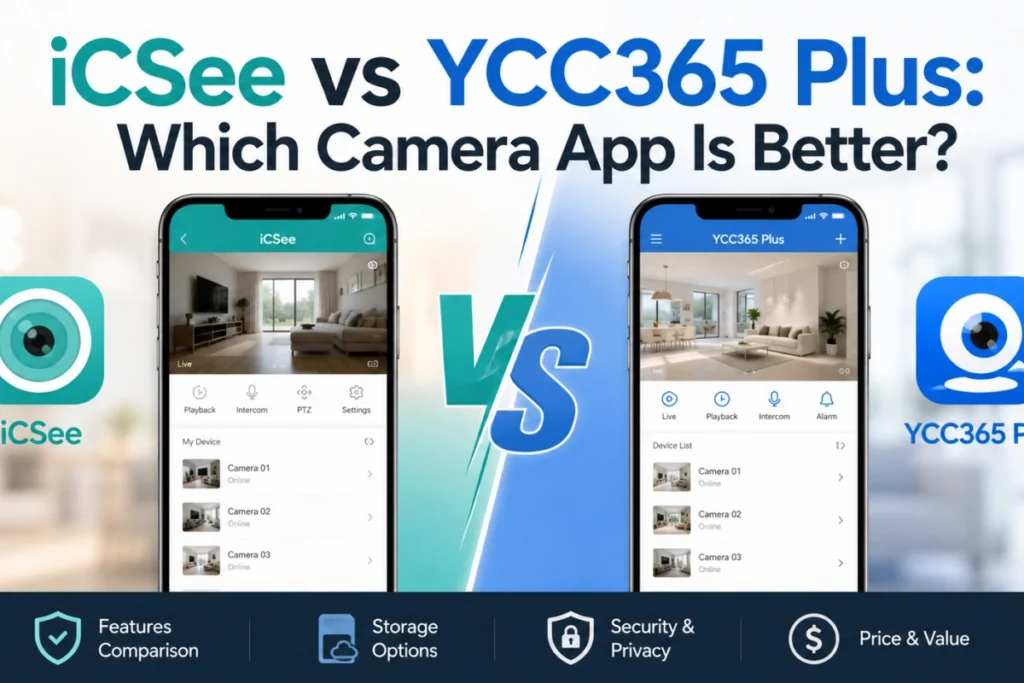

If you searched for icsee vs ycc365 plus, here’s the honest answer up front: you almost certainly don’t get to pick. iCSee and YCC365 Plus are white-label camera control apps used by dozens of unrelated security camera brands, and which one you end up with is decided by the camera’s firmware at the factory, not by which app you’d prefer to use.
What you can control is understanding how that works, where the two apps genuinely differ in daily use, and what to check before buying a new camera so you don’t end up frustrated after unboxing. That’s what this article covers.
Why People Search This Comparison?
Search intent around “icsee vs ycc365 plus” usually comes from one of three situations:
- Someone owns two cameras from different sellers and discovers, after opening the box, that each needs a different app.
- Someone is shopping for a new camera and notices the listing mentions one app or the other, without explaining what that means.
- Someone had a bad experience with one app — dropped connections, confusing setup, cloud storage upsells — and wants to know if switching brands means switching to “better” software.
In all three cases, the underlying concern isn’t really “which app has more features.” It’s “will this camera work reliably, and am I stuck with software I don’t like.” That’s a fair concern — but the fix is understanding compatibility, not ranking the apps against each other.
The App Is Baked Into the Hardware
This is the single most important thing to know, so it’s worth explaining once, clearly, rather than repeating it: the app your camera uses is programmed into the camera’s chipset and P2P connection module at manufacturing time. It’s not a setting you change from a menu, and it’s not a preference the seller lets you configure.
The QR code printed on the camera or in the manual pairs that specific device to your account on one specific backend — either iCSee’s servers or YCC365 Plus’s servers (or, less commonly, another platform). If your camera was built for YCC365 Plus, installing iCSee and scanning the same QR code won’t work, because the device isn’t listening for that protocol at all.
The one exception is ONVIF (Open Network Video Interface Forum), an open standard that lets certain third-party apps or NVR systems connect regardless of the branded app. If your camera lists ONVIF support, you have real flexibility. Among the budget consumer cameras where iCSee and YCC365 Plus dominate, though, ONVIF support is inconsistent and often absent — so don’t assume it’s there unless the listing says so explicitly.
Practical implication: before buying, the question to ask a seller or check in a listing isn’t “which app is better.” It’s “which app does this exact model use, and what do owners of that model say about it.” The app name tells you about compatibility, not quality.
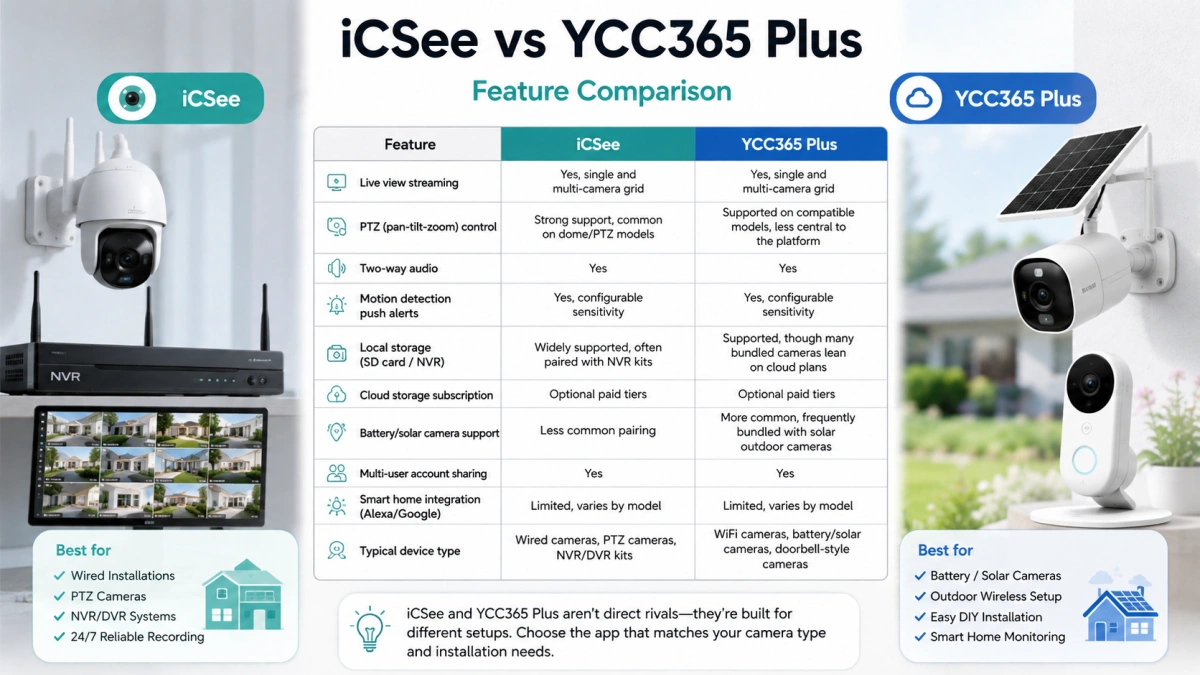
iCSee vs YCC365 Plus: Feature Comparison
| Feature | iCSee | YCC365 Plus |
|---|---|---|
| Live view streaming | Yes, single and multi-camera grid | Yes, single and multi-camera grid |
| PTZ (pan-tilt-zoom) control | Strong support, common on dome/PTZ models | Supported on compatible models, less central to the platform |
| Two-way audio | Yes | Yes |
| Motion detection push alerts | Yes, configurable sensitivity | Yes, configurable sensitivity |
| Local storage (SD card / NVR) | Widely supported, often paired with NVR kits | Supported, though many bundled cameras lean on cloud plans |
| Cloud storage subscription | Optional paid tiers | Optional paid tiers |
| Battery/solar camera support | Less common pairing | More common, frequently bundled with solar outdoor cameras |
| Multi-user account sharing | Yes | Yes |
| Smart home integration (Alexa/Google) | Limited, varies by model | Limited, varies by model |
| Typical device type | Wired cameras, PTZ cameras, NVR/DVR kits | WiFi cameras, battery/solar cameras, doorbell-style cameras |
The last row is the one that actually explains the other differences: iCSee shows up more on wired PTZ and NVR-based systems, while YCC365 Plus shows up more on battery and solar outdoor cameras. That’s not a strict rule, and plenty of exceptions exist, but it’s why the two apps rarely feel like true head-to-head competitors — they’re optimized for different install types more than they’re competing for the same buyer.
iCSee: Strengths and Limitations
iCSee tends to perform well on multi-camera and NVR-based setups, because its interface is built around switching between feeds, reviewing recorded footage by timeline, and managing PTZ controls. If you’re running a wired NVR system with several channels, iCSee’s playback and channel-switching experience is generally more mature than what a single-camera-first app offers.
Its main limitation is inconsistency across brands: because so many unrelated manufacturers license iCSee, the actual feature set depends heavily on what your specific camera’s firmware exposes. Two cameras running the identical app can have completely different available settings, because the manufacturer only enabled a subset of what the platform technically supports. Cloud storage pricing also varies by reseller even within the same app, since brands set their own subscription terms on a shared backend — don’t assume the price mentioned in one iCSee camera’s listing applies to a different iCSee camera from another seller.
YCC365 Plus: Strengths and Limitations
YCC365 Plus is the more common choice for outdoor battery and solar cameras, and its setup flow reflects that: lower-power notification handling and motion-triggered clip recording, rather than continuous streaming that would drain a battery-powered unit quickly.
Where it tends to fall short is multi-camera management at scale. Running six or eight cameras through an NVR works, but the interface feels closer to “a single-camera app that also supports multiple cameras” than a system built from the ground up for larger fleets — that’s iCSee’s stronger territory.
As with iCSee, available features depend on what the manufacturer chose to expose in firmware. A budget solar camera bundled with YCC365 Plus may lack settings that a pricier model using the same app includes.
Common Problems With Both Apps
A few issues show up on both platforms regardless of which one you’re using, because they’re rooted in shared P2P cloud architecture rather than app-specific design:
- Connection drops and “device offline” errors. Both apps rely on a P2P relay to connect your phone to your camera when you’re away from home. If that relay has downtime, or your camera’s internet connection is unstable, you’ll see “offline” even though the camera is physically fine — usually a network or server-side issue, not a broken unit.
- Account recovery friction. These platforms often don’t tie recovery to a major email-verification system the way big tech companies do, so getting locked out can mean limited recovery options. Write down your credentials at setup.
- QR code pairing failures. Setup involves scanning a QR code with the app’s built-in scanner, not your phone’s regular camera app. Poor lighting — too dim or too much glare — is a common cause of failed scans.
- Cloud subscription upsells. Both platforms offer free live view and push alerts but prompt you toward paid cloud recording. If you already have SD card or NVR storage, you likely don’t need it.
- Notification delay. Motion alerts can arrive seconds to a minute late, particularly on cameras using cloud-based motion detection rather than on-device processing. This is a budget-hardware limitation broadly, not something either app has solved better.
Security Considerations
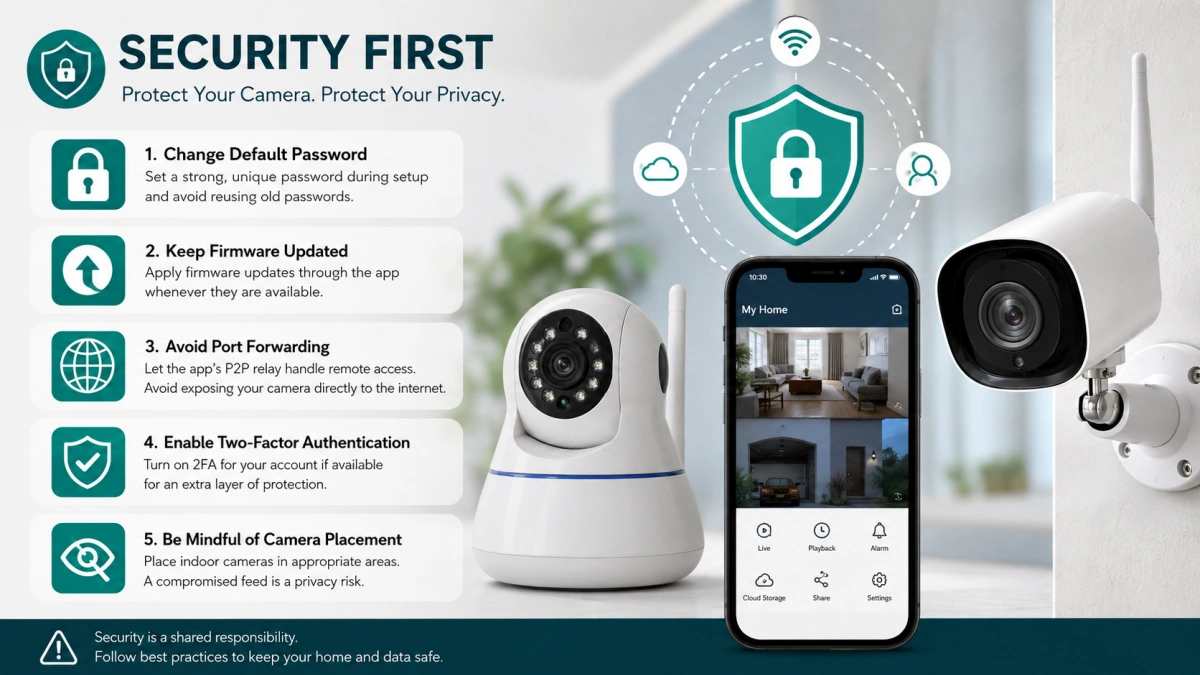
Because both platforms route your camera feed through third-party P2P relay servers, it’s worth understanding the general security posture of this device category. Budget IP cameras on shared app platforms have been criticized in security research for weak default credentials, inconsistent firmware update practices, and cloud infrastructure that isn’t always transparent about data handling. This is a pattern across the low-cost camera segment broadly — not a claim specific to either iCSee or YCC365 Plus — since many manufacturers prioritize cost over security hardening.
Steps that reduce risk regardless of which app you use:
- Change the default password immediately during setup, and don’t reuse a password from another account.
- Keep firmware updated through the app when updates are offered.
- Avoid manually port-forwarding the camera to the open internet unless you understand the risk; let the app’s P2P relay handle remote access.
- Enable two-factor authentication for your app account if it’s available.
- Be thoughtful about where you place indoor cameras — a compromised feed is a privacy risk, not just a security one.
Neither app has a public track record that makes one clearly more or less secure than the other based on verified, camera-specific research. Apply the same baseline caution you would to any inexpensive connected device.
How to Actually Decide Between iCSee and YCC365 Plus?
Since the app is tied to the hardware, the real decision isn’t “iCSee or YCC365 Plus” — it’s which camera to buy, knowing it comes bundled with one of them. Before purchasing:
- Check the listing or manual for the exact app name before buying, not after.
- Look up reviews for the specific camera model, not just the app — reliability varies by manufacturer within the same ecosystem.
- If you’re expanding an existing system, confirm the new camera uses the same app as your current setup, unless you’re fine managing two.
- Confirm the camera supports local SD card or NVR storage if you want to avoid a mandatory cloud subscription.
- If you’re leaning toward a large, wired multi-camera NVR setup, weigh iCSee’s stronger channel-management interface — but verify the specific model actually supports the features you expect.
FAQ
Can I use iCSee and YCC365 Plus on the same camera?
No. A camera is manufactured to work with one specific platform based on its firmware and P2P module. You can’t switch a YCC365 Plus camera to iCSee, or the reverse, by installing the other app.
Which app is more reliable?
Neither has a clearly documented, independently verified reliability edge. Offline errors, connection drops, and notification delays occur on both and are usually tied to the specific camera’s hardware, your home network, or the shared P2P relay infrastructure — not the app itself.
Why does my camera listing mention an app I’ve never heard of?
Most budget and mid-range camera brands don’t build their own software. They license a shared platform like iCSee or YCC365 Plus and rebrand the hardware. The app name tells you which backend the camera connects to, not who manufactured it.
Do I need a paid subscription to use either app?
No. Both offer free core functionality — live viewing and motion push alerts. Paid cloud storage is optional and mainly relevant if your camera lacks local SD card or NVR storage, or you want extended cloud recording history.
My camera shows “offline” even though it’s plugged in. What’s wrong?
This is usually a network or server-side connection issue, not a hardware failure. Check your camera’s internet connection, restart your router, and confirm the app’s P2P relay isn’t experiencing downtime before assuming the camera is broken.