
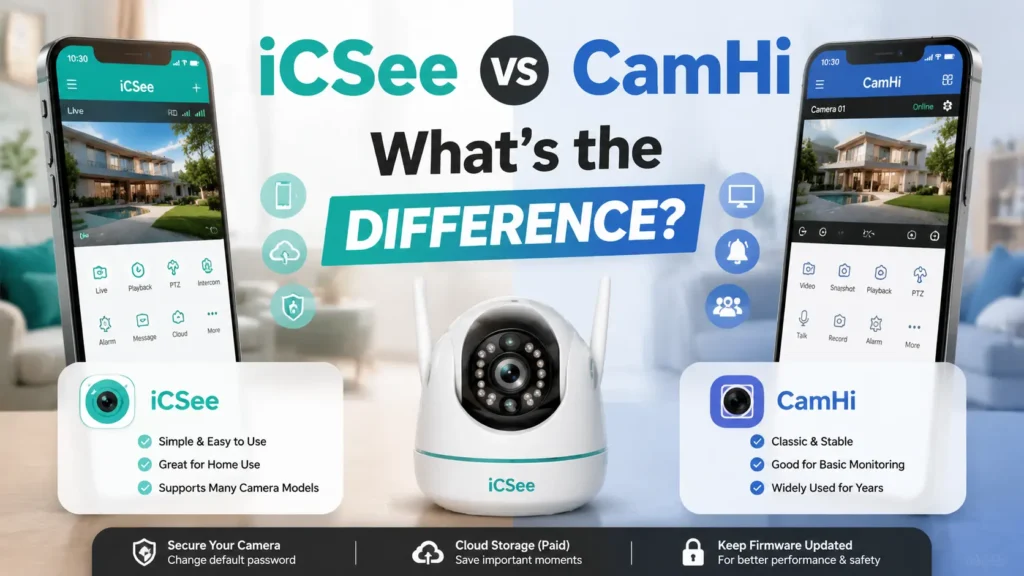


If your camera came with instructions for iCSee or CamHi and you’re stuck picking one, here’s the truth: you don’t really get to choose. Your camera’s hardware already made that choice for you. The real question isn’t “which app is better.” It’s “which app will my camera even talk to.”
This iCSee vs CamHi guide breaks down exactly how to tell them apart, so let’s go through it step by step.
iCSee vs CamHi: Quick Comparison
| iCSee | CamHi | |
|---|---|---|
| What it is | An app for one camera cloud system | An app for a different, rival cloud system |
| Who makes the cameras | Small, no-name factories | Small, no-name factories |
| How to tell if it’s right for you | Check the sticker or QR code on the camera | Check the sticker or QR code on the camera |
| Multi-camera setups (NVR/DVR) | Easier to switch between channels | Works, but feels clunky with lots of channels |
| SD card playback | Yes | Yes |
| Two-way talk | Yes, if your camera has a mic/speaker | Yes, if your camera has a mic/speaker |
| Pan-tilt-zoom (PTZ) | Yes, if the camera can physically move | Yes, if the camera can physically move |
| Cloud storage plans | Paid, tied to your camera’s ID | Paid, similar setup |
| ONVIF (for third-party software) | Not built in | Not built in |
| Smart AI alerts (person/car detection) | No, just basic motion | No, just basic motion |
So, honestly? These two apps look almost the same on paper. The real differences show up once you start using them, not in a features list.
iCSee vs CamHi: Why Do Both Apps Exist?
Cheap security cameras are usually made this way:
- A factory builds a camera using a low-cost video chip (often a Hisilicon Hi3516 or Hi3518, common in budget cameras).
- That factory picks one cloud service to handle remote viewing.
- Then dozens of different sellers slap their own logo on that same camera and sell it under a totally different name — a classic white-label OEM security camera setup.
iCSee and CamHi are just the apps that go with two of these rival cloud services. Neither company actually builds the cameras. They just handle the “connect my phone to my camera” part. That’s why two cameras that look exactly alike, bought from two different stores, might each need a different app — and it’s also why the iCSee vs CamHi question comes up so often among budget camera owners.
Step 1: Is Your Camera iCSee or CamHi?
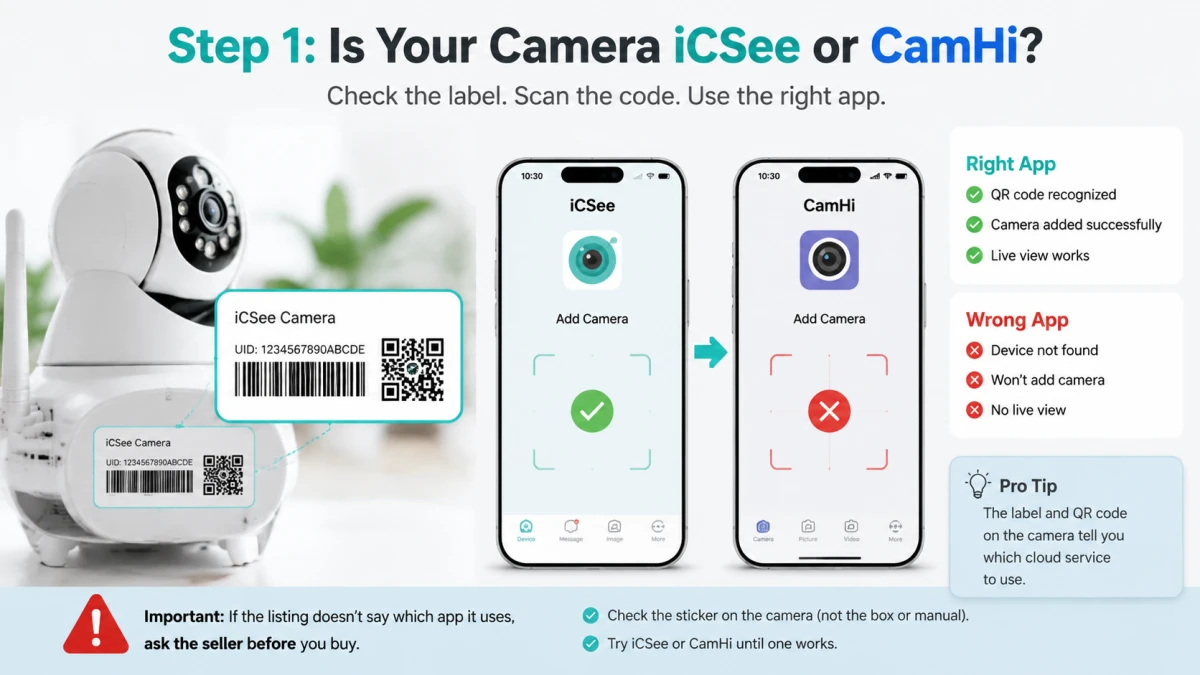
Before you worry about features, check if the app even works with your camera. A feature is useless if you can’t reach it.
How to check:
- Look for a sticker or a QR code that tells you if it’s an iCSee or CamHi camera (not the box, and not the paper manual — those get reused across different production runs and are often wrong).
- That sticker has a device ID. This ID tells the app which cloud service to connect to.
- Try scanning it with each app until one actually recognizes your camera.
Signs you picked the wrong app:
- The app opens fine, but scanning the code does nothing, or says “device not found”
- Your camera never shows up in the iCSee or CamHi live view screen
- You start to think your camera is broken or your Wi-Fi is bad — when really, it’s just the wrong iCSee or CamHi app
If you’re buying a camera and the listing doesn’t say which app it uses, that’s a red flag. Ask the seller which app the current stock actually pairs with before you buy.
Step 2: iCSee vs CamHi in Daily Use
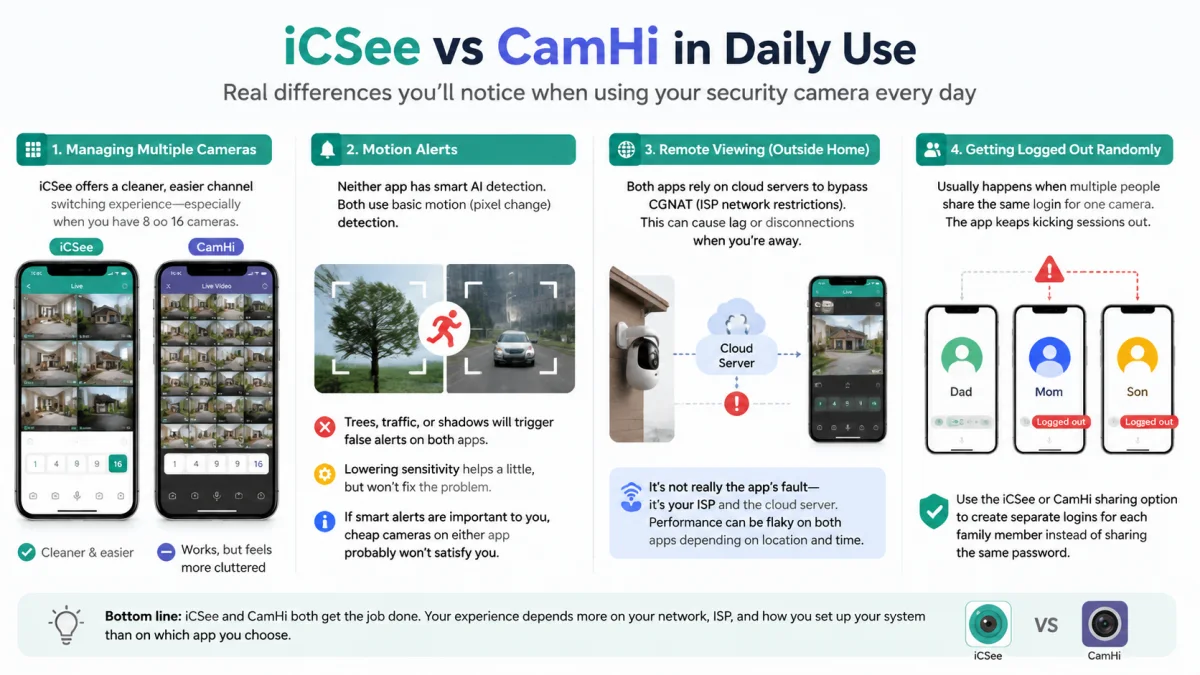
Once you know which app works, here’s where you’ll notice real differences.
Managing multiple cameras
If you’re running 8 or 16 cameras through one NVR, the app you check every day matters a lot. iCSee’s screen for flipping between channels is usually seen as cleaner and easier. CamHi still works, but it can feel a bit cluttered once you have a lot of cameras. This is just a design thing, not a hardware limit.
Motion alerts
Neither app has smart AI detection. They both just notice pixel changes — not actual people or cars, the way pricier brands like Reolink or Ubiquiti do. What that means for you:
- A camera pointed at trees, traffic, or shadows will send you false alerts no matter which app you use.
- Turning down the sensitivity helps a little, but it won’t fix this.
- If smart alerts matter a lot to you, a cheap camera on either app probably won’t satisfy you.
Remote viewing from outside your home
Both apps use cloud servers to get around something called CGNAT (basically, a way some internet providers block outside devices from reaching your home network directly). This is why cameras often work fine at home but lag or drop out when you’re away. It’s not really an app problem — it’s your ISP and the cloud server’s fault, and it can be flaky on both apps depending on where you live and what time it is.
Getting logged out randomly
If your camera app keeps logging you out on a shared family phone, it’s usually because everyone’s using the same login for one camera. This causes the app to fight with itself over sessions. Fix: make separate logins through the iCSee or CamHi sharing option instead of everyone using the same password.
Step 3: iCSee vs CamHi – Privacy and Pricing
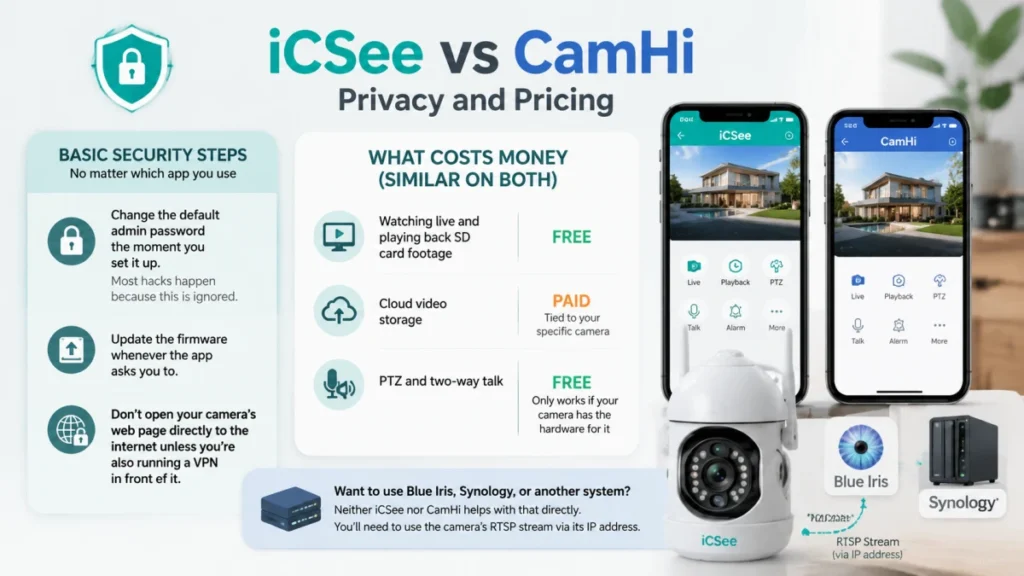
Since both iCSee and CamHi send your video through a company-run cloud server, here’s what matters:
Basic security steps, no matter which app you use:
- Change the default admin password the moment you set it up. A lot of camera hacking stories come from people never changing this, not from anything fancy.
- Update the firmware whenever the app asks you to.
- Don’t open your camera’s web page directly to the internet unless you’re also running a VPN in front of it.
What costs money (similar on both):
- Watching live and playing back SD card footage: usually free
- Cloud video storage: paid, and tied to your specific camera
- PTZ and two-way talk: free, but only work if the camera itself has the hardware for it
If you want to hook these cameras into something like Blue Iris or a Synology box, neither app helps with that directly. You’d need to grab the camera’s RTSP video stream using its IP address instead.
iCSee vs CamHi: Which One Should You Pick?
| Your situation | What to do |
|---|---|
| You already have a camera | Just use whichever app matches the sticker on it |
| You’re adding to an existing camera setup | Make sure new cameras use the same app as your old ones |
| You’re buying new, starting from zero | Ask the seller which app the camera you’re buying actually needs |
| You want smart alerts or long-term support | Look at a name-brand system instead of iCSee or CamHi |
| You just want cheap cameras, lots of them | Either app is fine, price is the main factor |
iCSee vs CamHi FAQ
Can I use CamHi on a camera that came with iCSee instructions?
Only if the camera’s device ID actually matches CamHi’s system — the paper instructions don’t guarantee anything. Check the sticker on the camera itself. If the ID doesn’t match, CamHi just won’t work no matter what you try.
What brands work with iCSee vs CamHi?
It’s not really about the brand name printed on the box. It depends on the chip and cloud service the factory picked, and this can change between batches even for the “same” brand. Always check the sticker, not the label.
Does one app handle nighttime motion detection better?
Not really — neither app has smart detection. How well your camera sees at night depends on the camera’s infrared hardware, not which app you’re using.
Do I have to pay monthly for cloud storage?
Both apps charge for cloud storage, tied to your camera. Saving footage to an SD card is usually free on both, as long as your camera has a card slot.
How do I turn on PTZ (pan-tilt-zoom)?
If your camera can physically move, the controls just show up automatically once you add it to either app. There’s no separate setting to unlock.
Which app sends alerts faster?
That mostly comes down to your Wi-Fi and how busy the cloud server is at that moment, not the app itself. People report mixed results with both.
Is it safe to use these apps?
Both send your video through a third-party server, so the biggest risk is a weak or default password, not the app itself. Change your password, keep the firmware updated, and don’t open the camera directly to the internet without a VPN.