
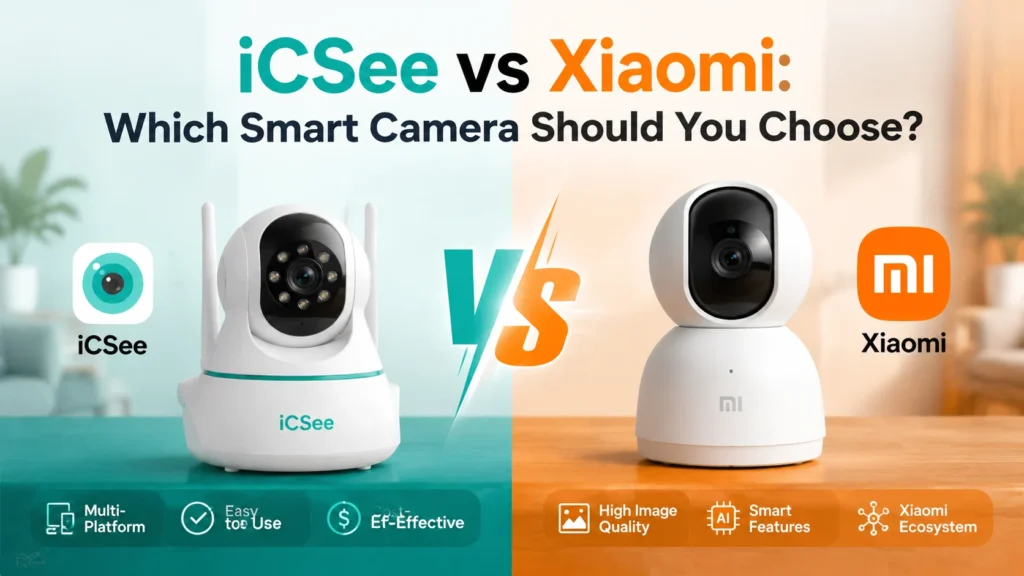

You’ve probably narrowed your search down to two names: iCSee and Xiaomi. Maybe you saw an iCSee-branded camera on AliExpress for half the price of anything else, then noticed a Xiaomi camera sitting right next to it with a fancier box and a bigger brand name. Now you’re stuck wondering if you’re about to overpay for a logo, or underpay for something that will let you down in three months.
This isn’t a “brand A is just better than brand B” kind of comparison, because iCSee and Xiaomi aren’t really competing on the same terms. By the end of this guide you’ll know how their video quality and night vision actually stack up, whether either one plays nicely with an NVR or a smart home hub, what happens to your footage after you stop paying for cloud storage, and which one fits your specific setup instead of someone else’s.
What’s the Real Difference Between iCSee and Xiaomi Cameras?
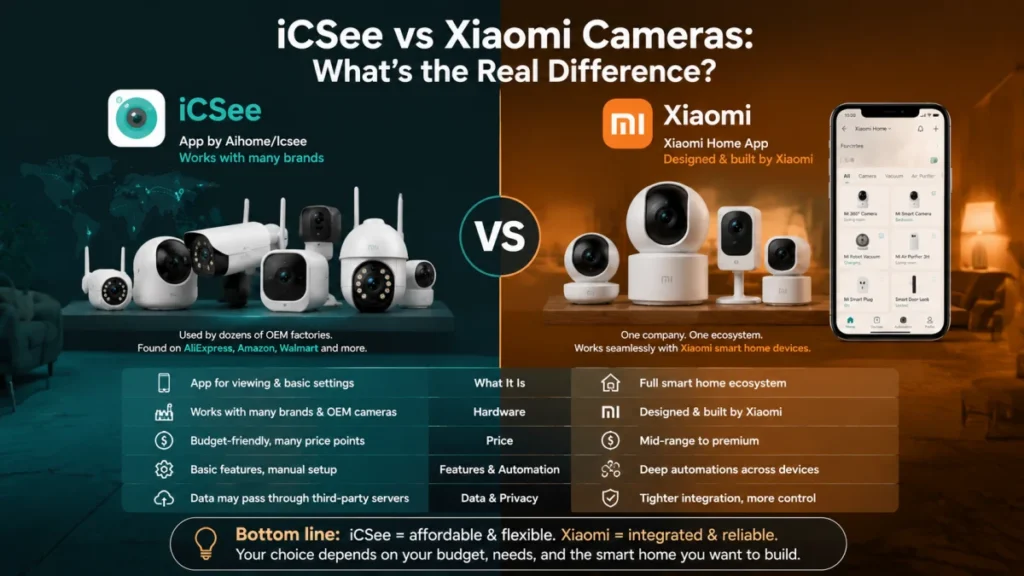
iCSee is not a hardware manufacturer in the way Xiaomi is. It’s a companion app made by Shenzhen-based Aihome/Icsee (often bundled with generic OEM cameras from dozens of small factories) that gets rebranded and reused across a huge range of budget WiFi cameras, video doorbells, and NVR kits sold under different names on AliExpress, Amazon, and Walmart. If a camera box says “download the iCSee app to get started,” that camera could have come from almost any factory.
Xiaomi, on the other hand, designs and builds its own cameras and ties them into the Xiaomi Home app (called Mi Home on some older Android builds), which is the same app used for Xiaomi’s vacuums, air purifiers, smart plugs, and locks. So the comparison isn’t really “camera versus camera.” It’s a single-purpose viewing app tied to inexpensive third-party hardware versus a full smart home ecosystem built around one company’s own devices. That distinction shapes almost every difference you’ll run into below, from video quality to what happens to your data.
Which One Gives You Better Video Quality and Night Vision?
Xiaomi generally wins on resolution and night vision quality, but iCSee-based cameras aren’t far behind on the mid-range models, and they’re often a fraction of the price. Here’s how the two typically compare, model for model:
| Feature | iCSee-Based Cameras | Xiaomi Cameras |
|---|---|---|
| Typical resolution | 1080p to 5MP, varies a lot by model | 2K to 3K standard, 4K on flagship models |
| Night vision | Infrared (black and white) on cheaper models, color night vision on newer ones | Full-color night vision standard on most 2024 and newer models |
| Field of view | Fixed lens or motorized pan-tilt-zoom depending on model | Mostly 360° pan or dual-lens 180° panoramic |
| Motion tracking | Auto tracking on PTZ models | AI-based person and vehicle detection |
If you’re picking a specific camera rather than a brand, don’t take the resolution number on the box at face value. iCSee is a shared app used across hundreds of camera models, so a “5MP iCSee camera” from one seller can perform very differently from another with the exact same app screenshot in the listing. Xiaomi’s lineup is smaller and more consistent, which makes it easier to know what you’re getting before it arrives.
iCSee vs Xiaomi: How Do the Apps Actually Feel Day to Day?
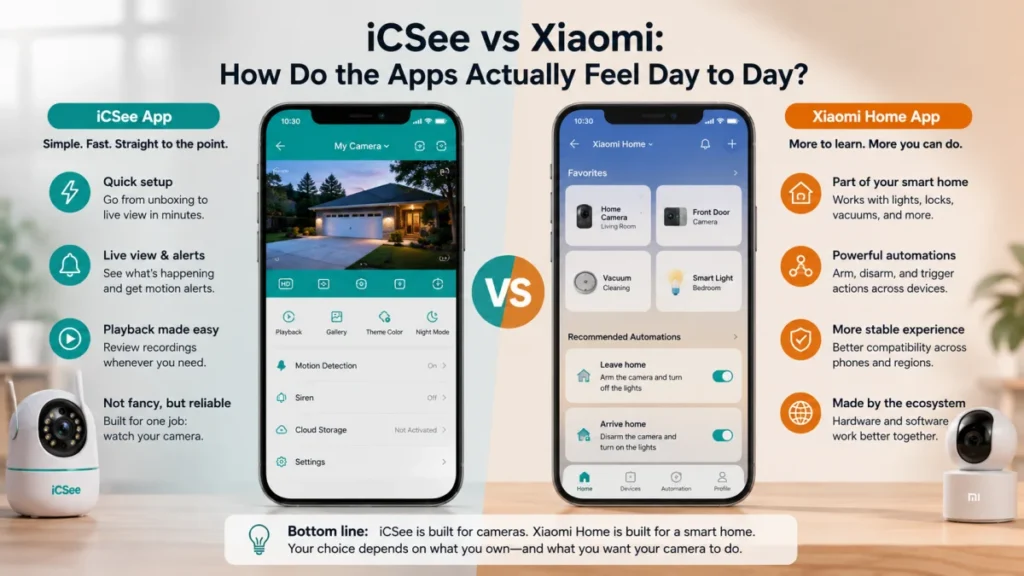
The iCSee app is built to do one thing: show you your camera feed, alert you on motion, and let you play back recordings. It’s not pretty, but it’s fast to set up, and most people are watching a live feed within a few minutes of setting up an iCSee camera for the first time. If you already own an iCSee camera and just want a walkthrough, that link covers pairing, WiFi setup, and the account creation step.
Xiaomi Home takes longer to learn because it’s managing your whole smart home, not just a camera. Once it’s set up, though, it lets you build automations a single-purpose app never could, like having the camera arm itself when everyone leaves and disarm when the front door unlocks. That’s a real advantage if you already own other Xiaomi gear, and mostly irrelevant if a camera is the only smart device you own.
Where the two apps genuinely diverge is stability across different phones and regions. iCSee has a long history of connection drops after router changes or firmware updates, which is why troubleshooting a no-video iCSee camera is one of the most common support questions the app generates. Xiaomi Home tends to be more consistent, partly because Xiaomi controls both the hardware and the software, so there’s no mismatch between what the camera firmware expects and what a random OEM factory shipped.
Can You Connect Either Camera to an NVR or Home Assistant?
This is the part most comparisons skip, and it’s often the deciding factor for anyone building out a real security setup instead of just watching a front porch. iCSee cameras are far more open here: a large share of iCSee-based models support ONVIF and RTSP streaming, which means they can be added to a third-party NVR, Home Assistant, Scrypted, or software like Agent DVR without relying on iCSee’s own cloud or app at all. That’s a meaningful difference if you ever want to move away from a single vendor’s app or build a local, offline recording setup.
Xiaomi cameras are much more locked down. Most models don’t expose ONVIF or a usable RTSP stream out of the box, and getting one connected to a non-Xiaomi system usually means workarounds, add-on integrations, or accepting that some features simply won’t carry over. If local, protocol-based access matters to you more than brand polish, that’s a point in iCSee’s favor, even though the setup process can be fiddlier and results vary by camera model. The ONVIF specification itself explains what the standard actually guarantees a compliant camera will support, which is worth a skim before you assume any “ONVIF compatible” listing means full functionality.
What Happens to Your Footage After You Stop Paying for Cloud Storage?
Both ecosystems push you toward paid cloud plans, but they handle the fallback differently, and this is where a lot of buyers get caught off guard. Most iCSee cameras record locally to a microSD card by default, so if you skip the cloud subscription entirely, you still get continuous or motion-triggered recording as long as the card has space. The cloud tier mainly adds off-site backup and longer retention.
Xiaomi cameras also support microSD recording on most models, and some let you connect to a home NAS box for private, unlimited local storage, which is a genuinely useful option iCSee doesn’t offer in the same way. The catch is that Xiaomi has a track record of sunsetting cloud recording support on older camera models entirely, which means owners of discontinued models can lose remote playback even if they’re paying, unless they’ve already set up local storage as a backup. Whichever brand you choose, don’t treat the cloud plan as your only copy of anything you’d actually miss.
Where Does Your Camera Footage Actually Go?
Data location is where iCSee and Xiaomi diverge the most, and it’s worth understanding before either camera ends up pointed at your front door. iCSee-based cameras are made by a wide range of small OEM manufacturers, mostly based in China, and cloud processing for motion alerts and video storage typically routes through servers tied to those manufacturers rather than a single, well-documented company policy. That’s not automatically dangerous, but it does mean privacy practices can vary from one iCSee camera to the next, since you’re really trusting whichever factory built your specific unit.
Xiaomi is a much larger, publicly known company with a more consistent (though still not fully transparent to every user) data policy across its ecosystem. That consistency cuts both ways: you know who you’re dealing with, but you’re also feeding footage into a much larger platform tied to dozens of other devices in your home if you use the same Xiaomi account for everything. If data location and vendor transparency matter to you as much as picture quality, that’s a legitimate factor to weigh, not just a footnote.
Which Camera Should You Actually Buy?
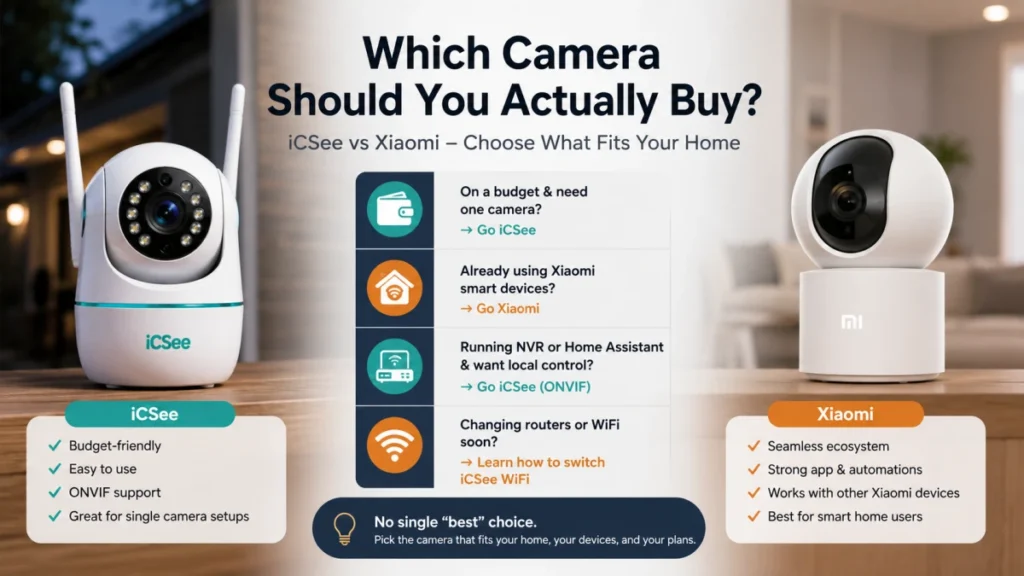
The honest answer depends less on which brand is “better” and more on what you already own and what you’re trying to protect. Here’s how it usually breaks down:
- If you want a cheap, single camera for a porch, garage, or nursery and don’t own other smart home gear, an iCSee-based camera is hard to beat on price, and you can always factory reset an iCSee camera and start fresh if a used or handed-down unit gives you trouble.
- If you already have Xiaomi vacuums, plugs, or a hub, and you want the camera to actually talk to those devices through real automations, Xiaomi is the more coherent choice, even at a higher price.
- If you’re building a local NVR setup or already run Home Assistant and want protocol-level access without depending on any single company’s cloud, lean toward an ONVIF-capable iCSee camera.
- If you’re switching WiFi networks or routers soon, it’s worth knowing in advance how to handle switching an iCSee camera to a new WiFi network before you’re stuck troubleshooting mid-move.
Neither camera is the universally “correct” pick. iCSee wins on price and openness, Xiaomi wins on consistency and ecosystem depth, and the right call comes down to what you’re already invested in.
Frequently Asked Questions
Is iCSee made by Xiaomi?
No. iCSee is a separate app made by a Chinese software company and is used by a wide range of unrelated OEM camera manufacturers. Xiaomi builds its own hardware and uses the Xiaomi Home (or Mi Home) app instead, so the two are not connected in any way.
Can I use an iCSee camera inside the Xiaomi Home app?
Not directly. Xiaomi Home is a closed ecosystem built for Xiaomi’s own certified devices, and iCSee cameras don’t show up as a supported device type. You’d need a third-party bridge or a platform like Home Assistant to pull an iCSee camera’s feed into a Xiaomi-based automation, and even then it won’t behave like a native Xiaomi device.
Does a Xiaomi camera work without a subscription?
Yes, most Xiaomi cameras record to a microSD card or connect to a home NAS without any paid plan. You lose extended cloud retention and some remote features, but basic local recording keeps working.
Why does my iCSee camera keep losing connection after a router change?
This is a common complaint and usually comes down to the camera holding onto old WiFi credentials or a frequency mismatch, since most iCSee cameras only support 2.4GHz networks. Re-pairing the camera through the app after any router or network name change almost always fixes it.
Can I add an iCSee camera to a Dahua or Hikvision NVR?
Often, yes, as long as the specific camera model supports ONVIF or RTSP, which many but not all iCSee cameras do. You’ll need the camera’s IP address, RTSP port, and login credentials, and PTZ control may not carry over depending on how closely the NVR’s ONVIF driver matches the camera’s firmware.
What happens if I stop paying for iCSee cloud storage?
Your camera keeps recording locally to its SD card if one is installed, and live viewing through the app still works. You just lose the off-site cloud backup and any extended playback window tied to the paid plan.